Unlock your full potential
We're sorry to see you go! If there's something we can improve or if you have feedback, please contact us before proceeding.
Follow these steps to delete your account:
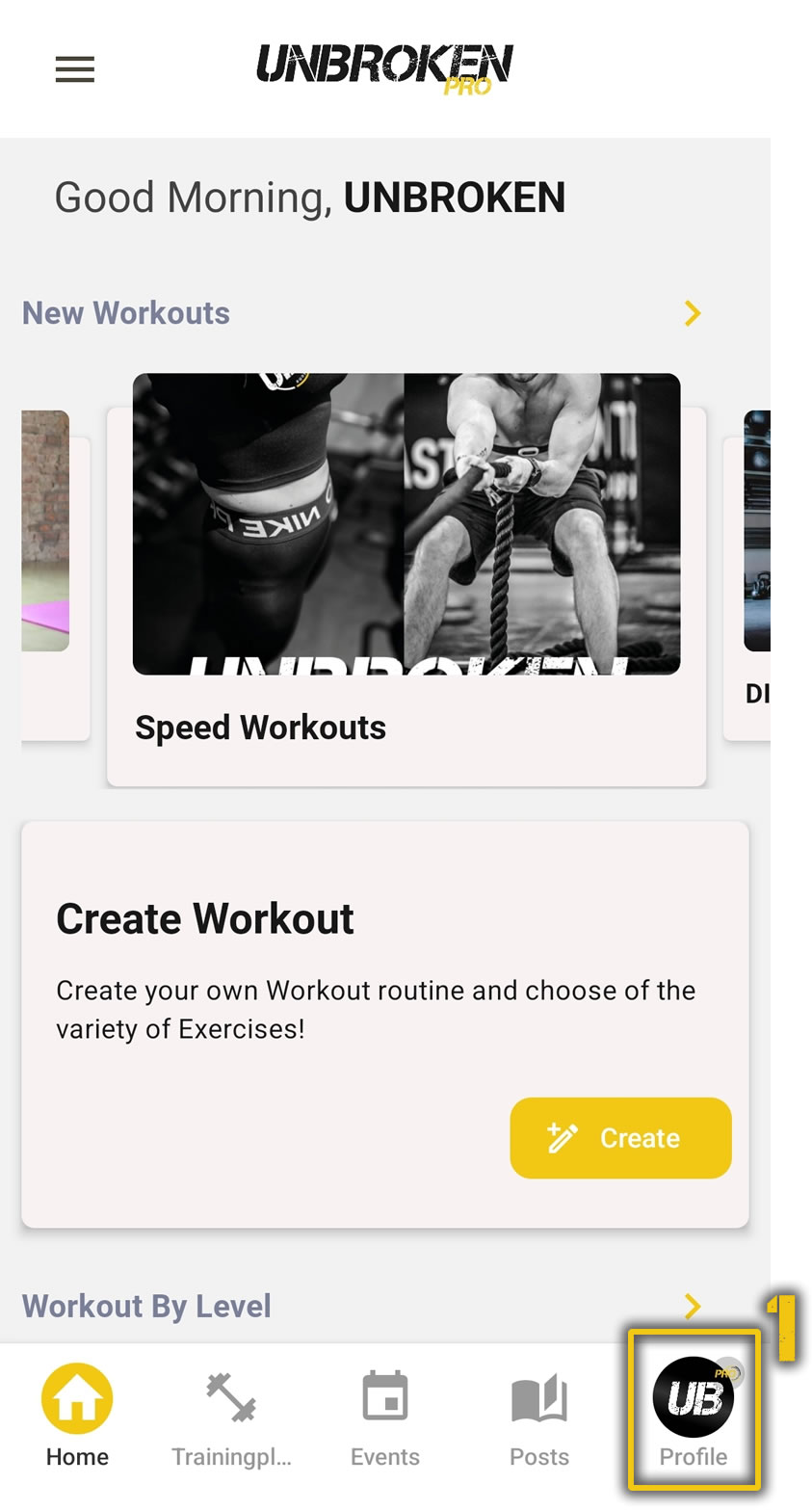
Go to your profile by tapping on the profile icon in the bottom navigation bar.
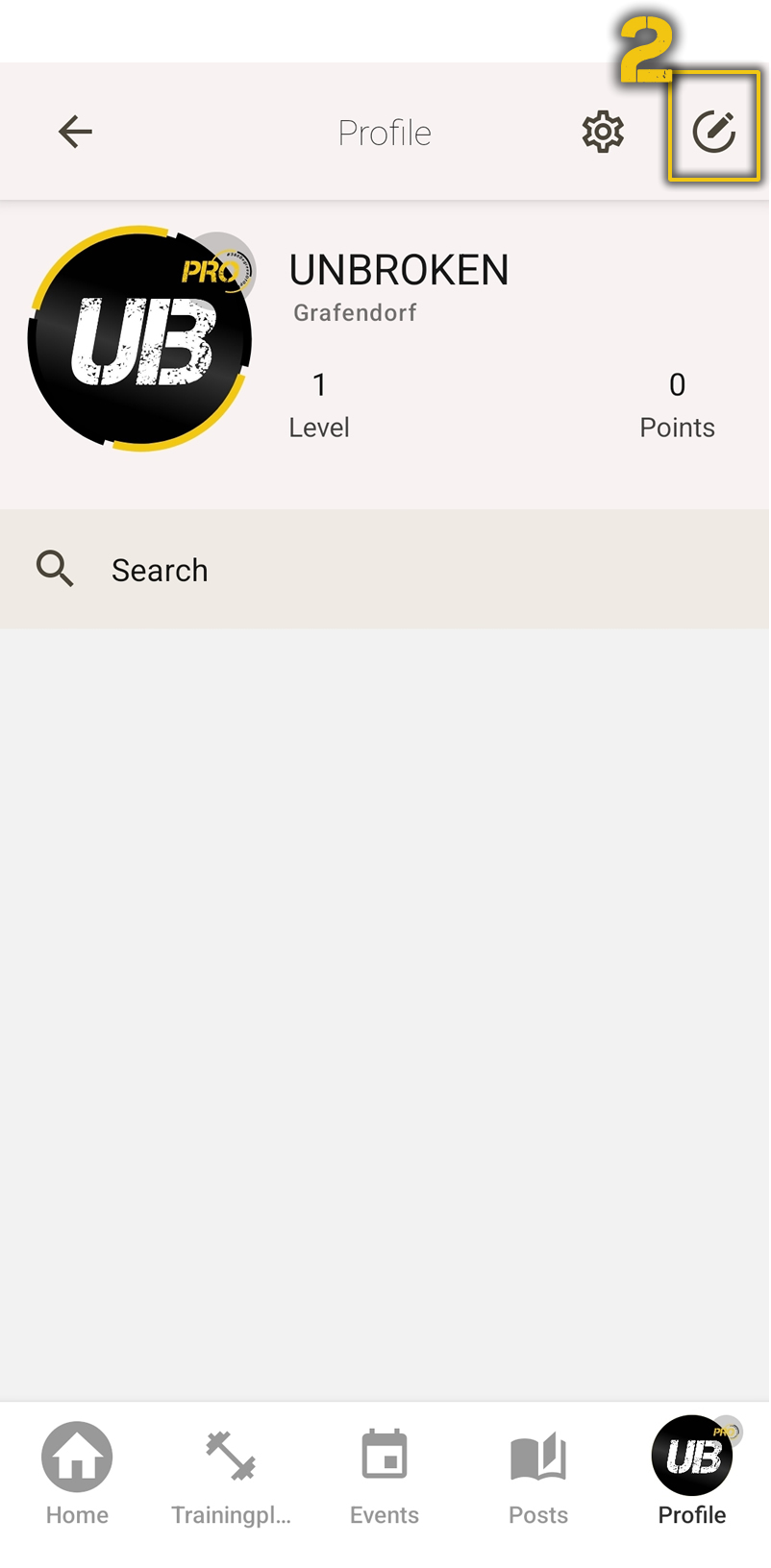
Tap the edit icon in the top-right corner to access profile settings.
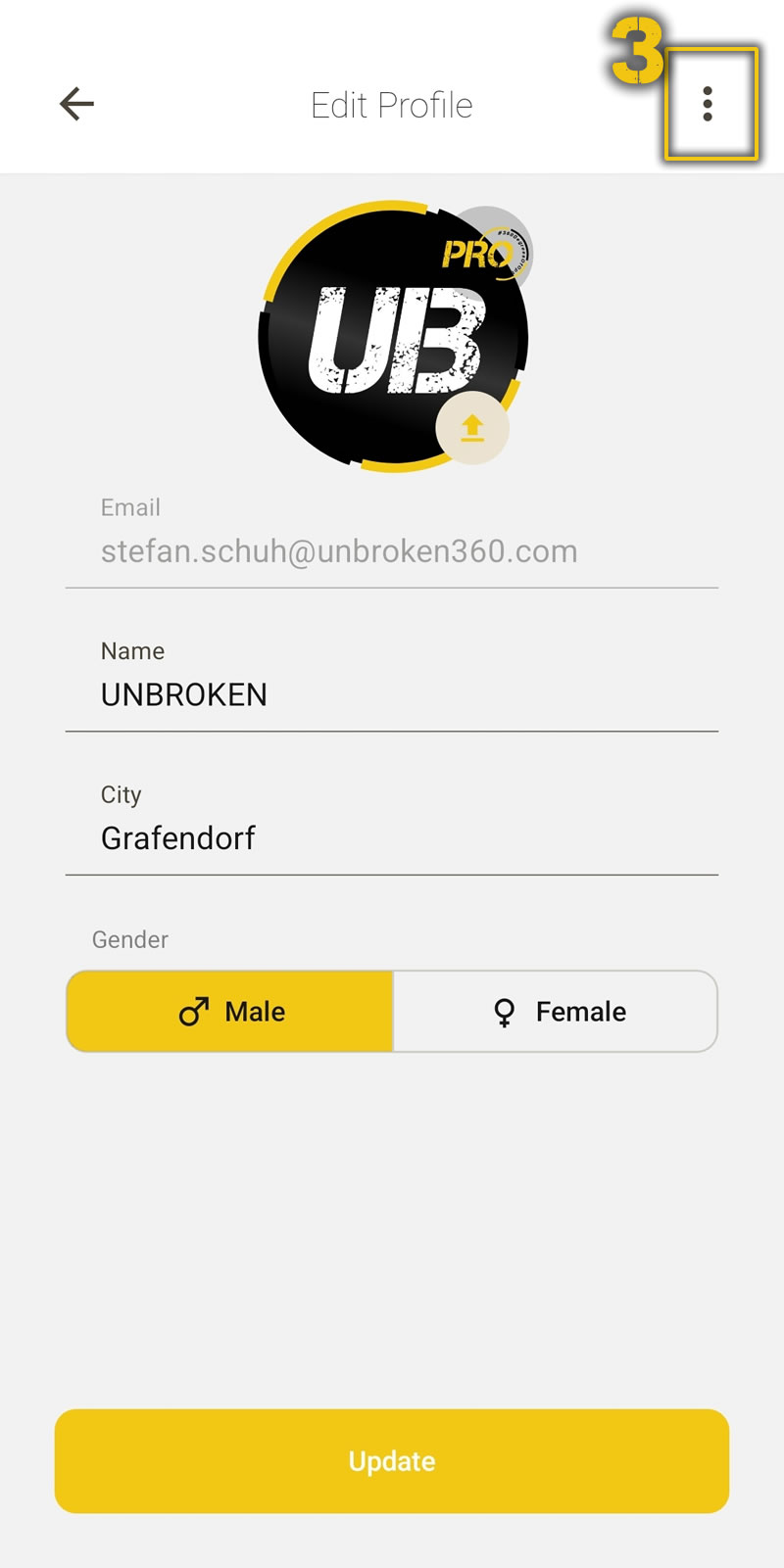
Tap the three-dot menu in the top-right corner.
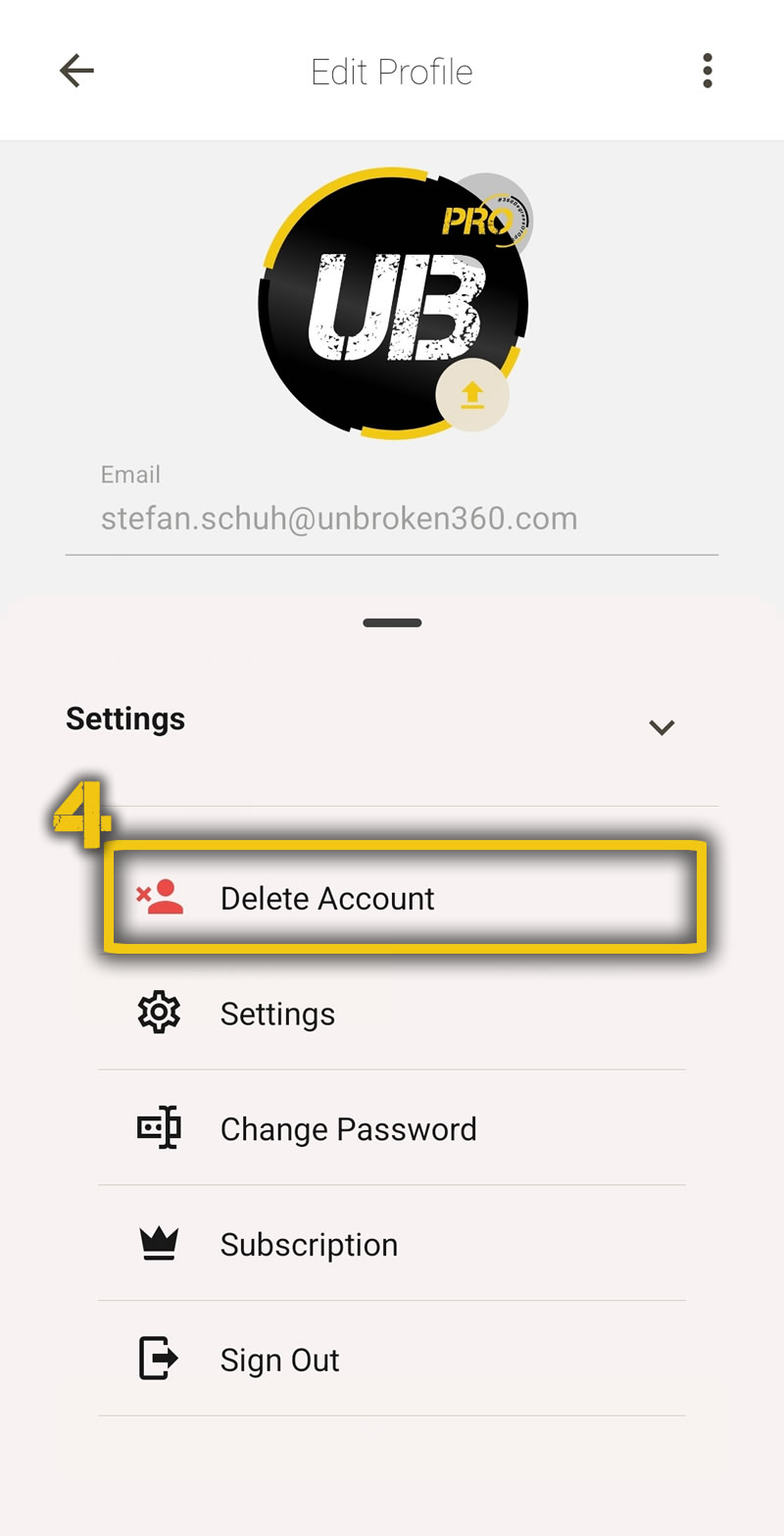
Select "Delete Account" from the options.
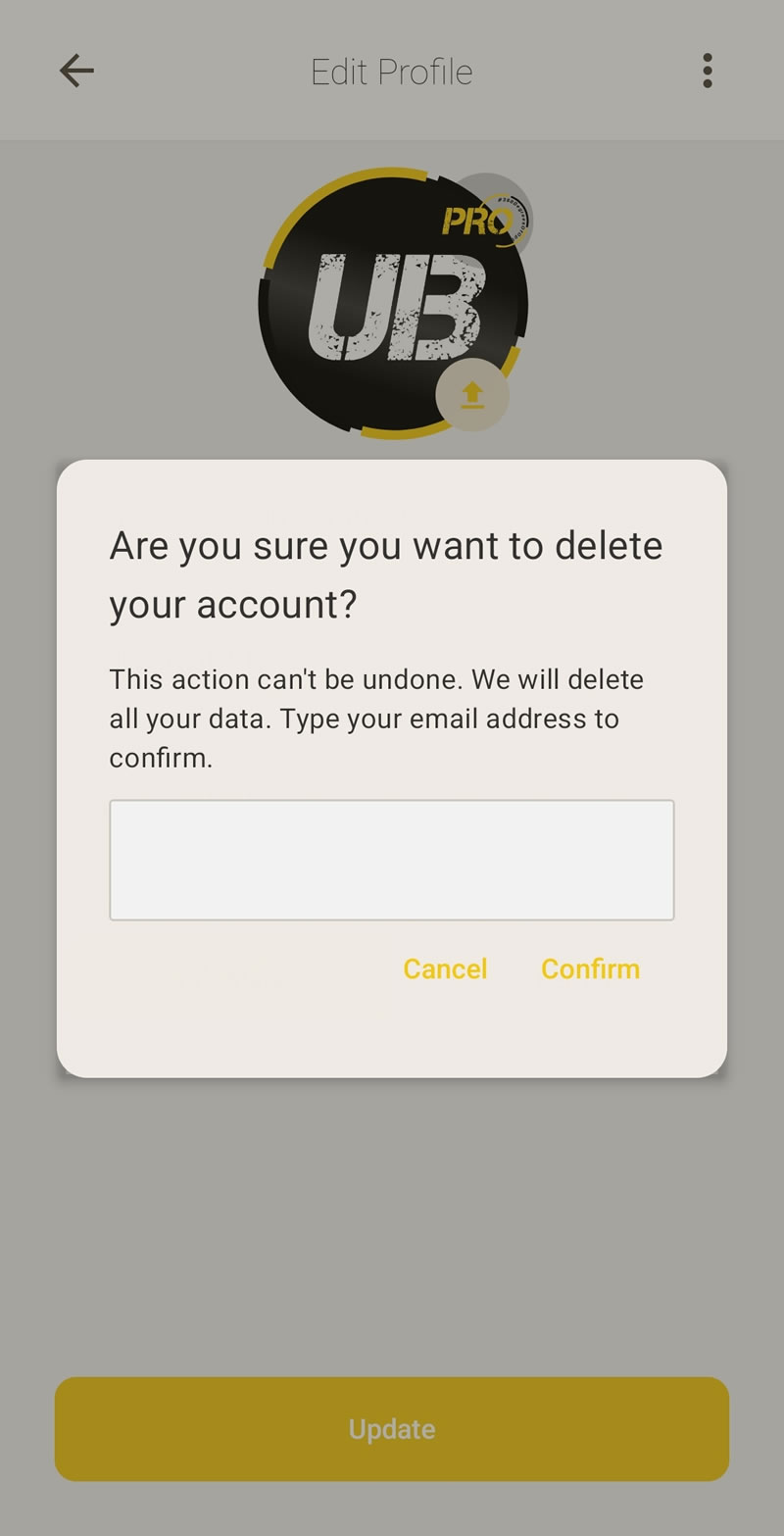
Enter your email address and confirm to complete the deletion.